Independent technical portfolio

Graphics testing & evidence

Reproducible benchmarks, precise visual comparisons and in-engine tools. Practical support for the work behind technical game coverage.

Durango, Mexico English & Spanish

From the workbench03 / CAPTURE TOOLS
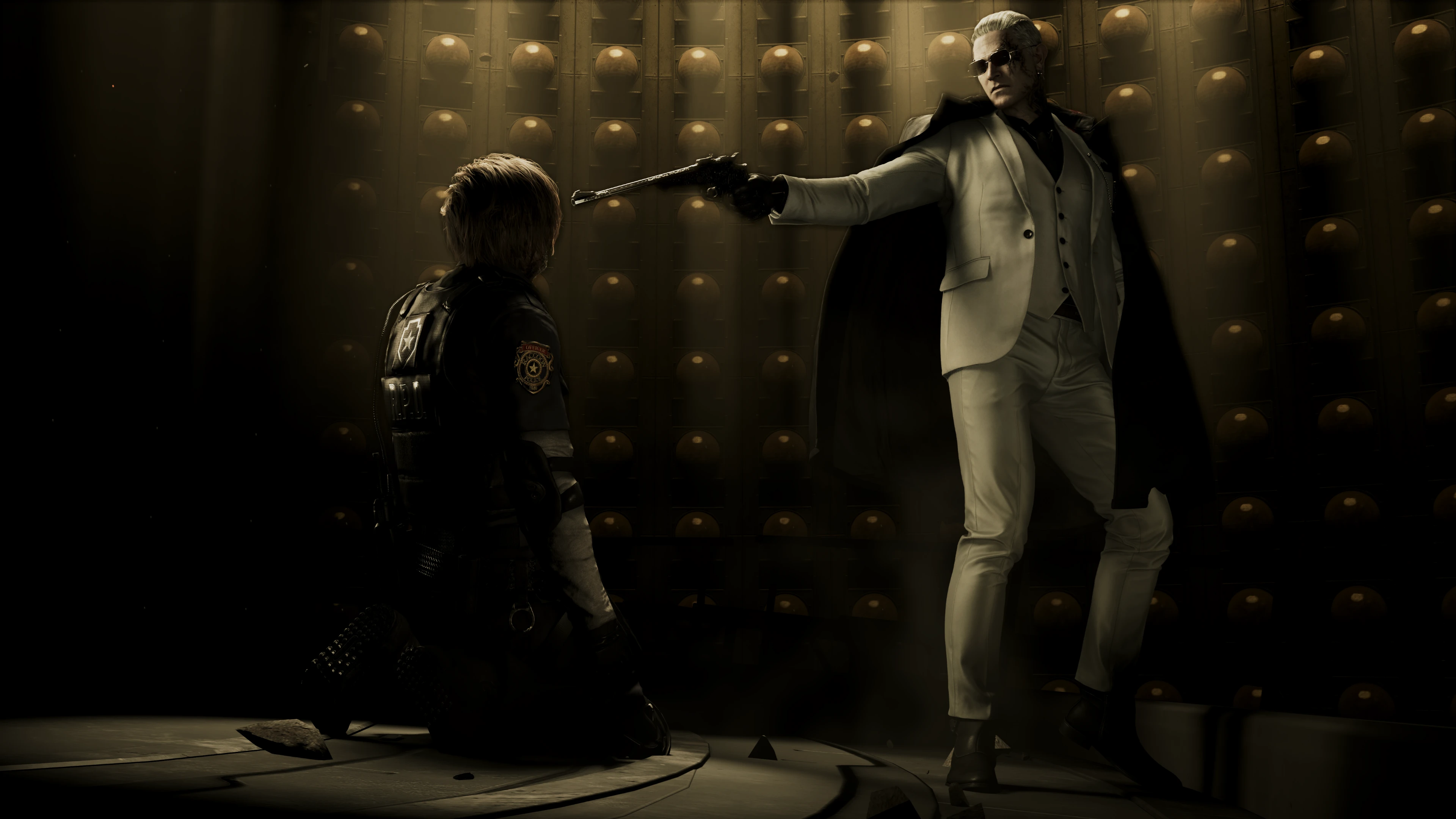
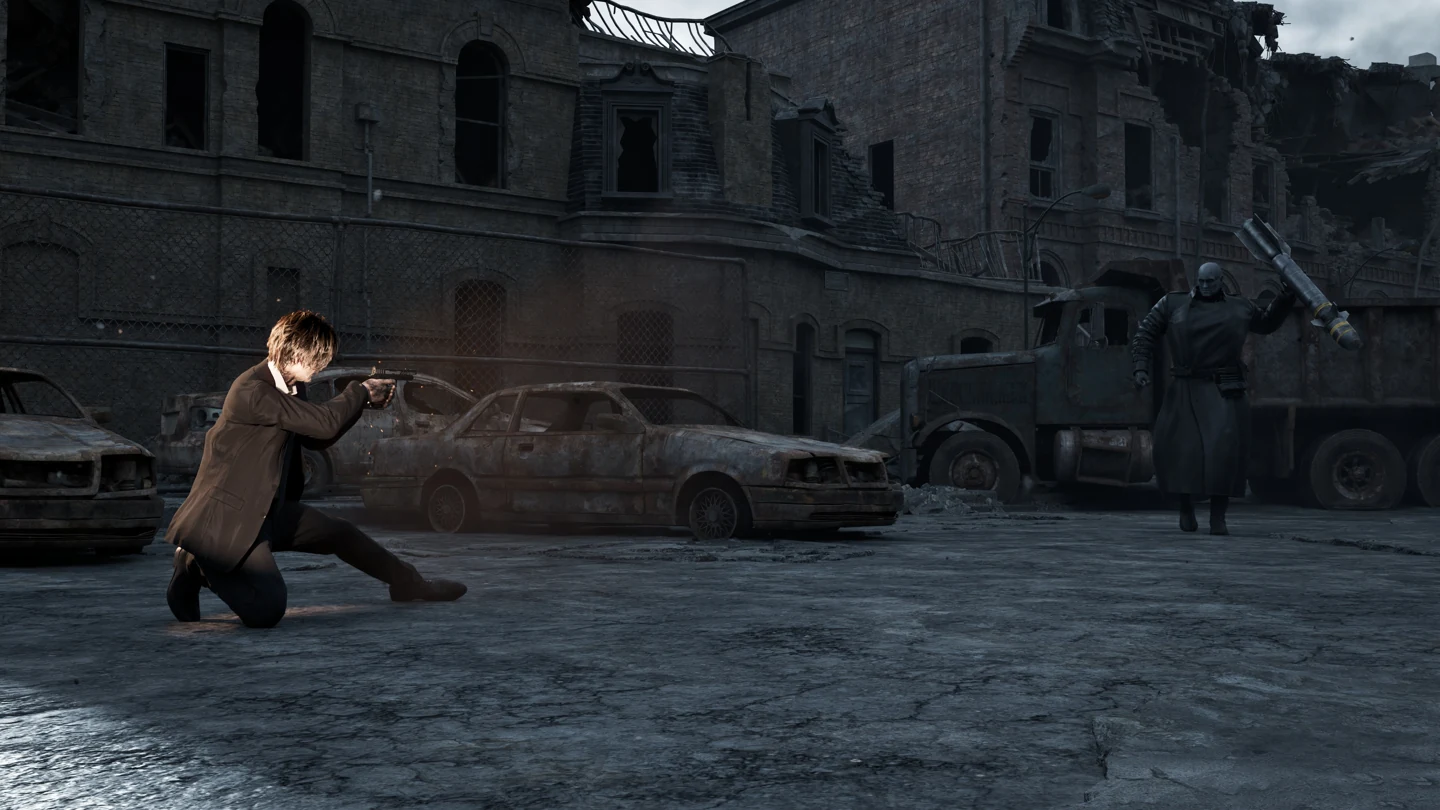
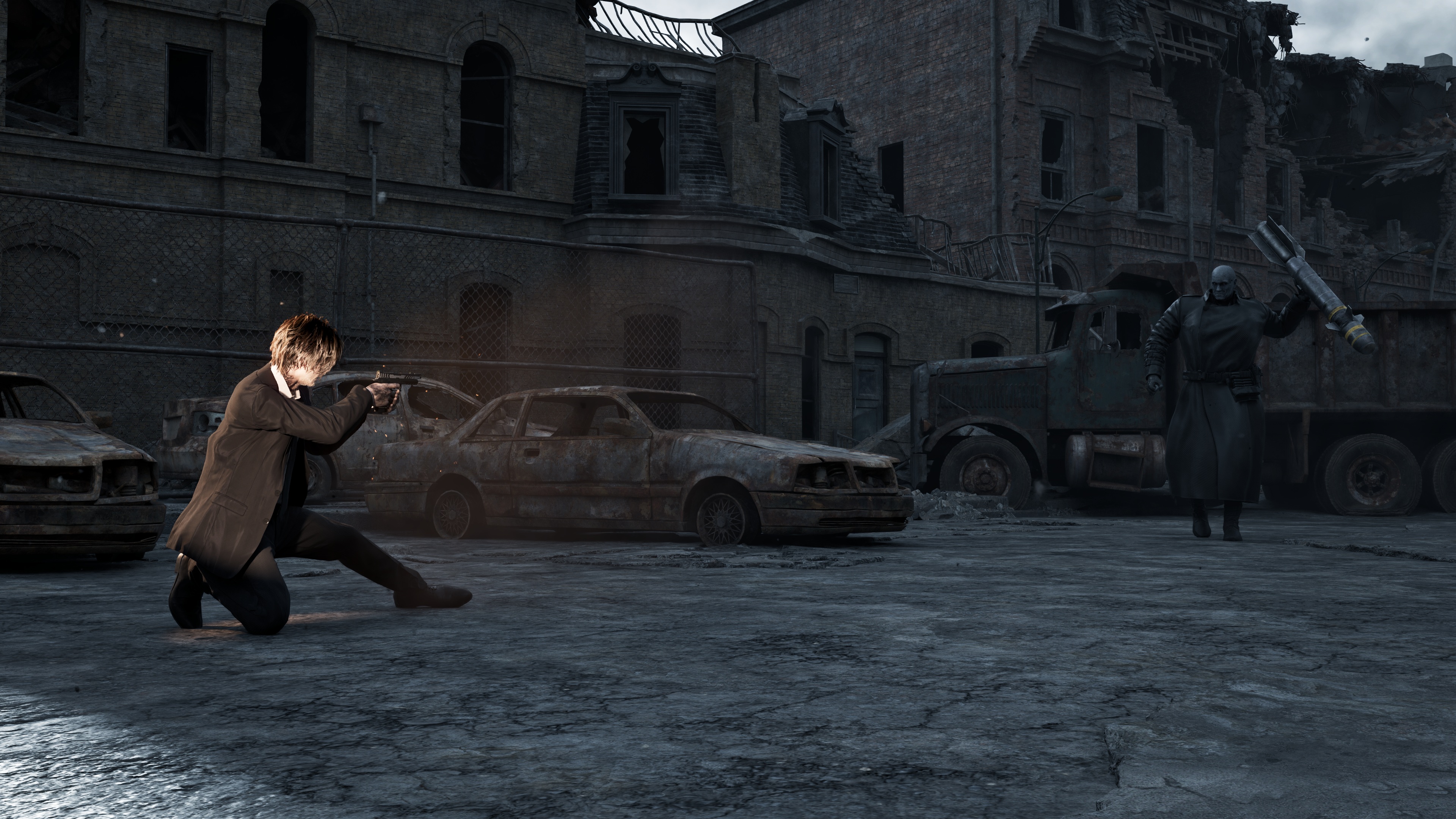
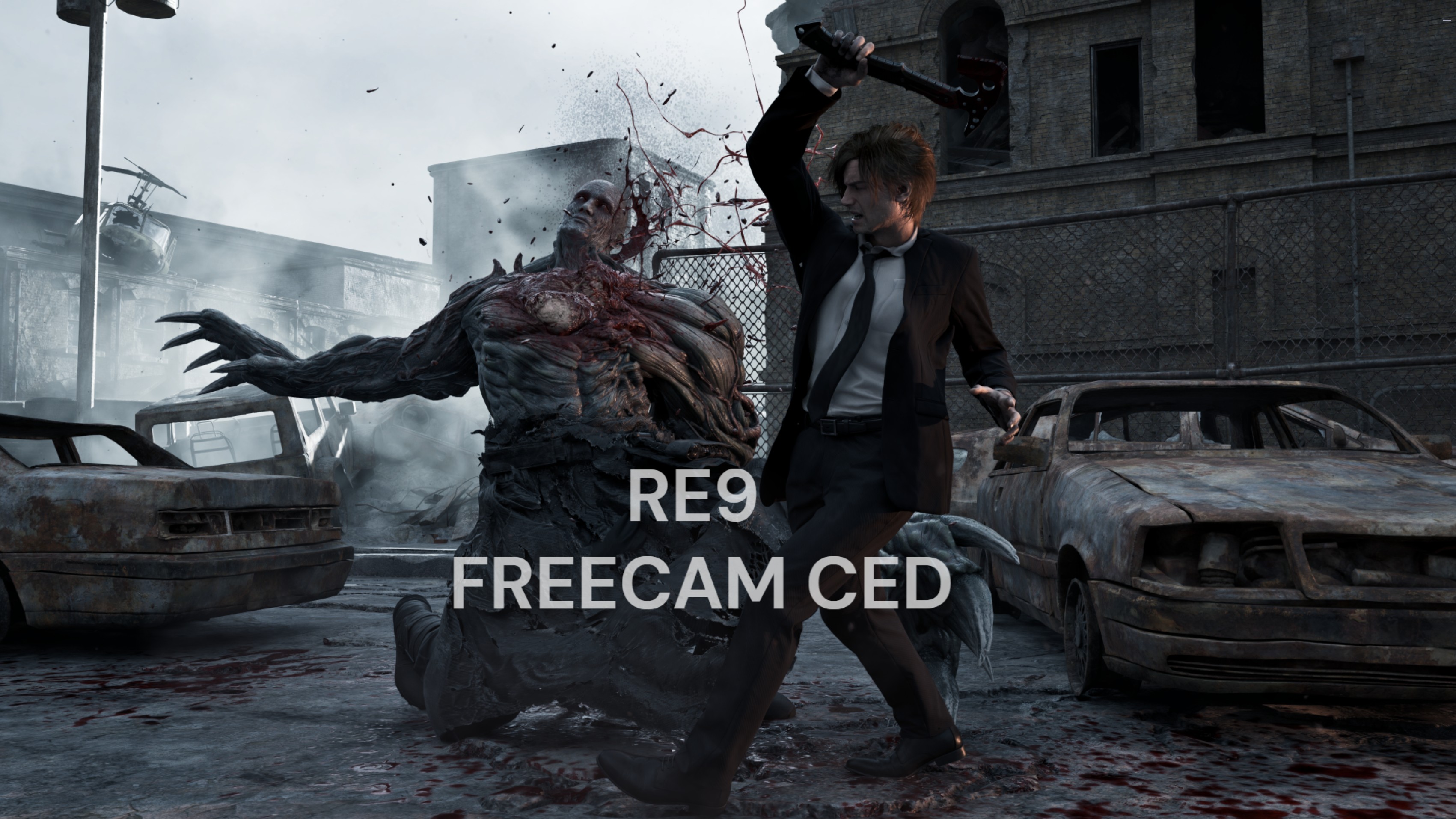
A supplied in-game RE9 FreeCam view exploring a cinematic scene.
In-engine inspection

A different point of view.

RE9 FreeCam · supplied in-game capture

Test environmentPC, console & VR
RTX 50909800X3D · 64 GB RAM
RTX 5070 / 4070Additional PC coverage
PS5 Pro · Switch 2Switch · PSVR2 · 4K/120 OLED
01 / Visual regressionInvestigation

The Witcher 3 Tracking a change in HairWorks.

I noticed that hair looked worse indoors after updating from 5.00b, with more visible shimmering in later patches, including 5.01. I wanted to understand what had changed and whether I could recover the earlier appearance.

Comparing the builds helped me narrow down changes to the hair-rendering pipeline. I then tested a hybrid configuration combining the earlier rendering components with the newer game data. In the scenes I checked, it brought back the appearance I had seen in 5.00b.

To make these comparisons easier, I developed a mod that lets me run multiple instances of The Witcher 3, hold Geralt still and save both his position and the camera setup. I can then load that setup in the second instance, matching Geralt's position and the camera angle across versions for consistent captures.
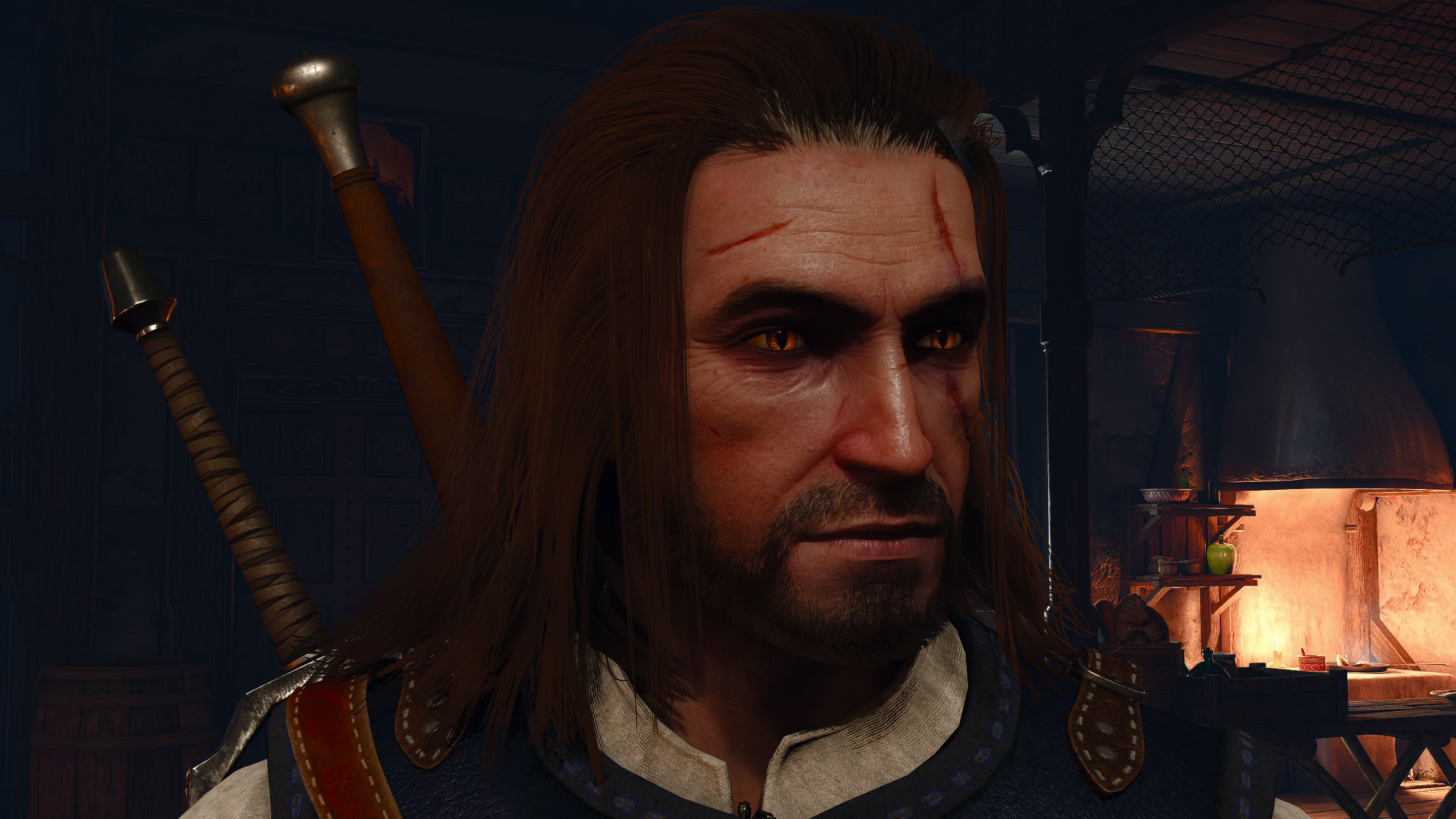
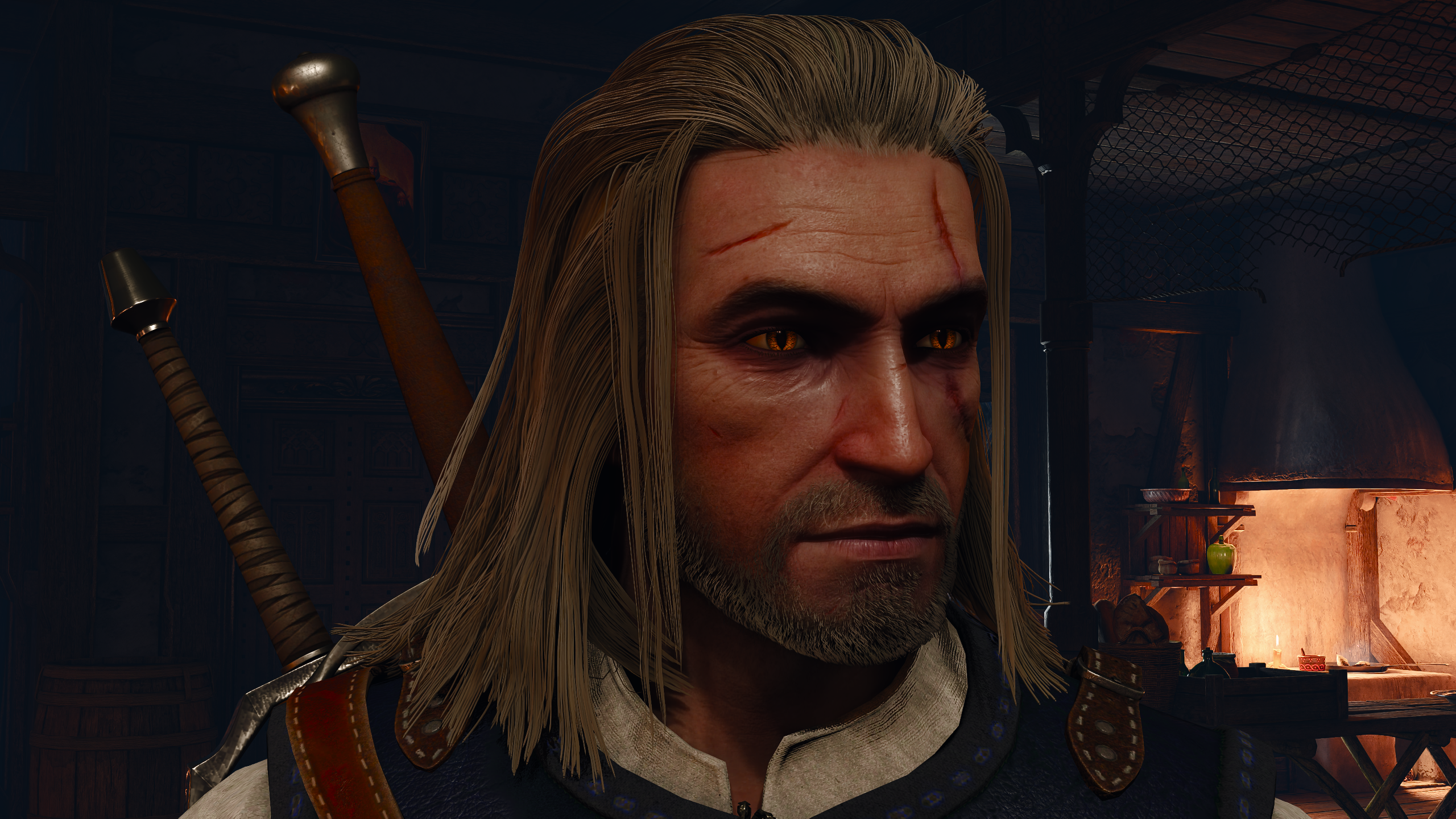
HairWorks · build comparisonA / B
Geralt indoors with HairWorks in patch 5.01.
Geralt in the matching indoor view with HairWorks in patch 5.00b.
5.00b 5.01

Drag the image divider, or focus the image and use the arrow keys.

Original in-game captures. 5.00b full resolution · 5.01 full resolution.

Recording and replaying benchmark routes

I built a mod that records character movement, camera motion, and pauses, then automatically replays the sequence. Saved routes can be loaded again after restarting the game, allowing me to repeat the same movements and camera paths across different rendering configurations.

In this video, I record a route and replay it to compare path tracing, path tracing with DLSS 5, and rasterized rendering.
The Witcher 3 · Route recording and replay

Open the full video.

02 / GPU benchmarkingMeasured results

Silicon Tuner Comparing performance and power use.

I wanted to see how much GPU power consumption I could reduce while keeping similar gaming performance. I developed Silicon Tuner and tested it on my RTX 5090 and RTX 5070, comparing stock settings with tuned profiles.

For the RTX 5070 comparison shown here, I used Cyberpunk 2077's built-in benchmark with the same game settings for each profile. I measured frame rates, GPU power draw and temperature to see what I was gaining and what I was giving up. The balanced profile used considerably less power while delivering similar average frame rates in my measurements.

Cyberpunk 2077 · RTX 5070Recorded averages
−30.5%GPU power · Balanced vs. stock
−9.8°CRecorded GPU temperature
User-reported average measurements for an RTX 5070 in Cyberpunk 2077.
ProfileGPU powerGPU temp.Avg. FPS
Stock230.7 W79.4 °C49
Balanced160.3 W69.6 °C50
Efficiency131.3 W65.4 °C46

One reported comparison, not a statistical FPS-gain claim. Test settings, ambient conditions and repeatability still need to accompany the final measurements.

03 / Capture toolsPublished mod

RE9 FreeCam Taking a closer look at the scene.

While playing Resident Evil Requiem, I wanted to look more closely at character expressions and details that the normal camera left out of view. That curiosity led me to build RE9 FreeCam.

The hardest part was keeping control during cutscenes, when the game kept trying to return the camera to its scripted position. Working through that gave me the freedom to explore those scenes from other angles and frame the details I wanted to capture. I also added field-of-view controls and options to disable depth of field and lens flare for closer inspection.

View the mod on Nexus Mods
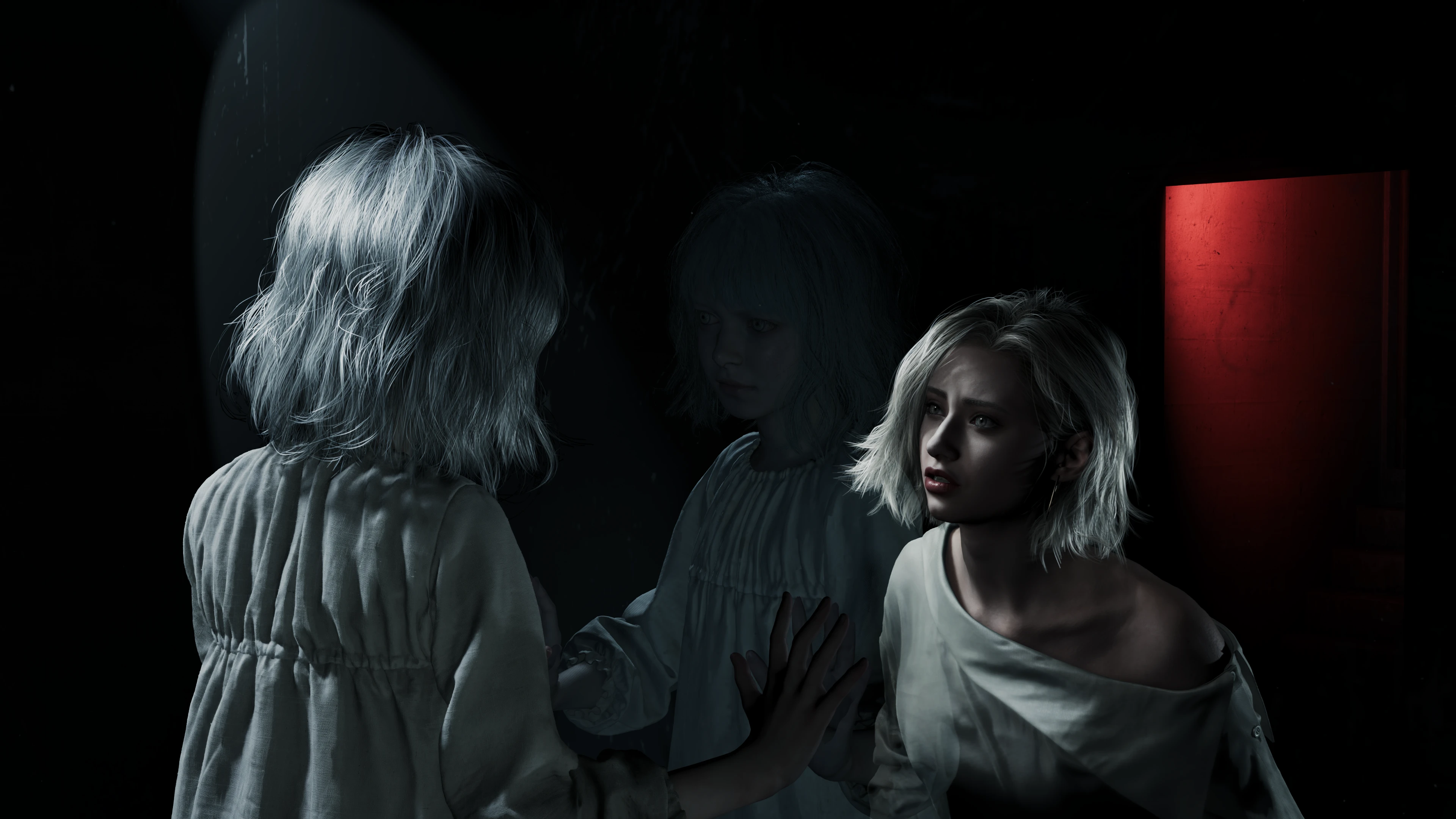
In-engine camera inspectionOriginal captures
A supplied RE9 scene capture from a free-camera perspective.Open full resolution
RE9 FreeCam CED release image. Two characters facing each other in a warmly lit interior. A close view of character expressions and hair.
Available on Nexus Mods

FreeCam CED

Explore the mod and its camera controls.

Captured with RE9 FreeCam. Open any image to see it in full resolution.

Ongoing work

04 / Graphics research

The Sims 2 Exploring path tracing in spaces I could build myself.

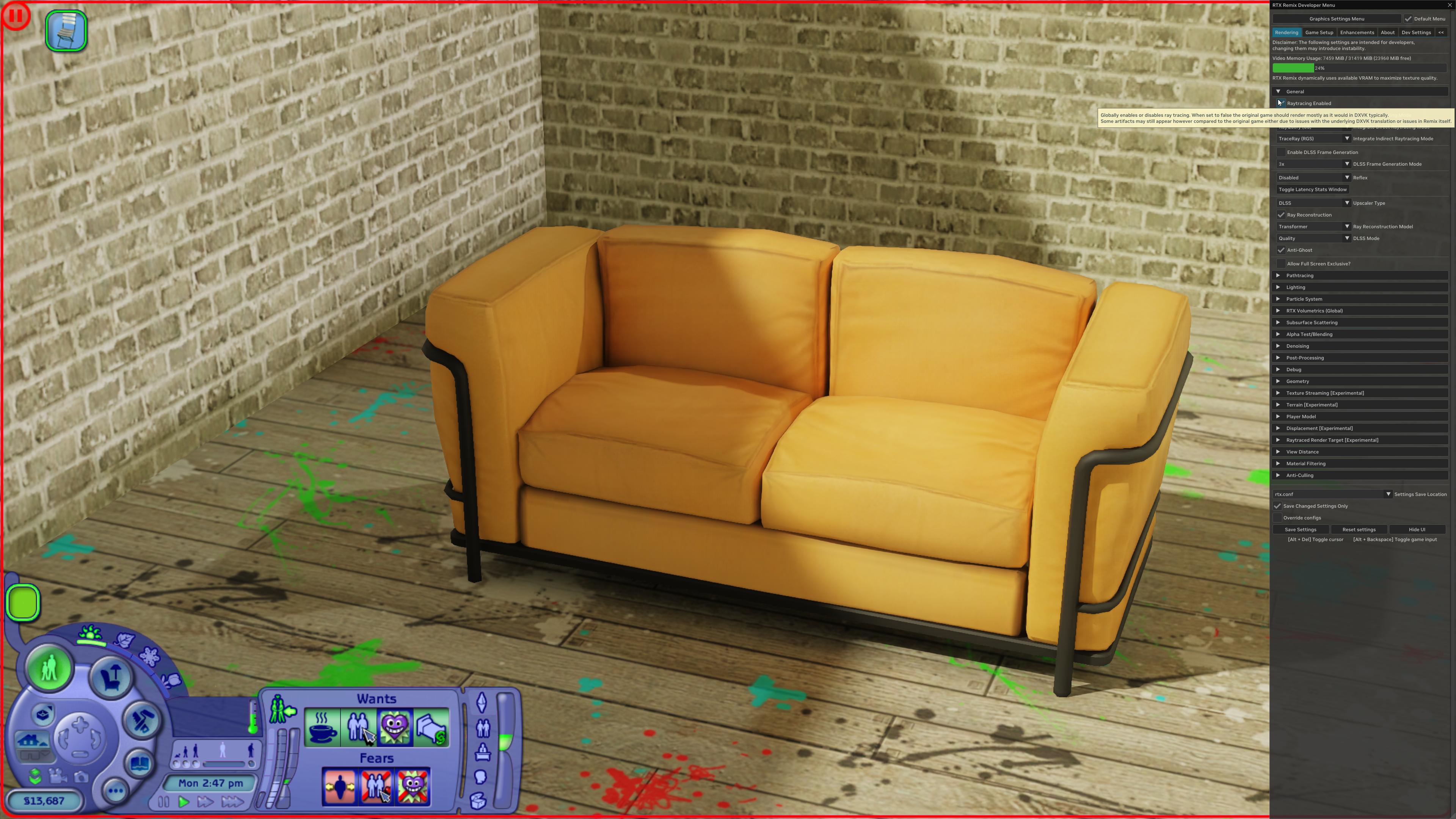
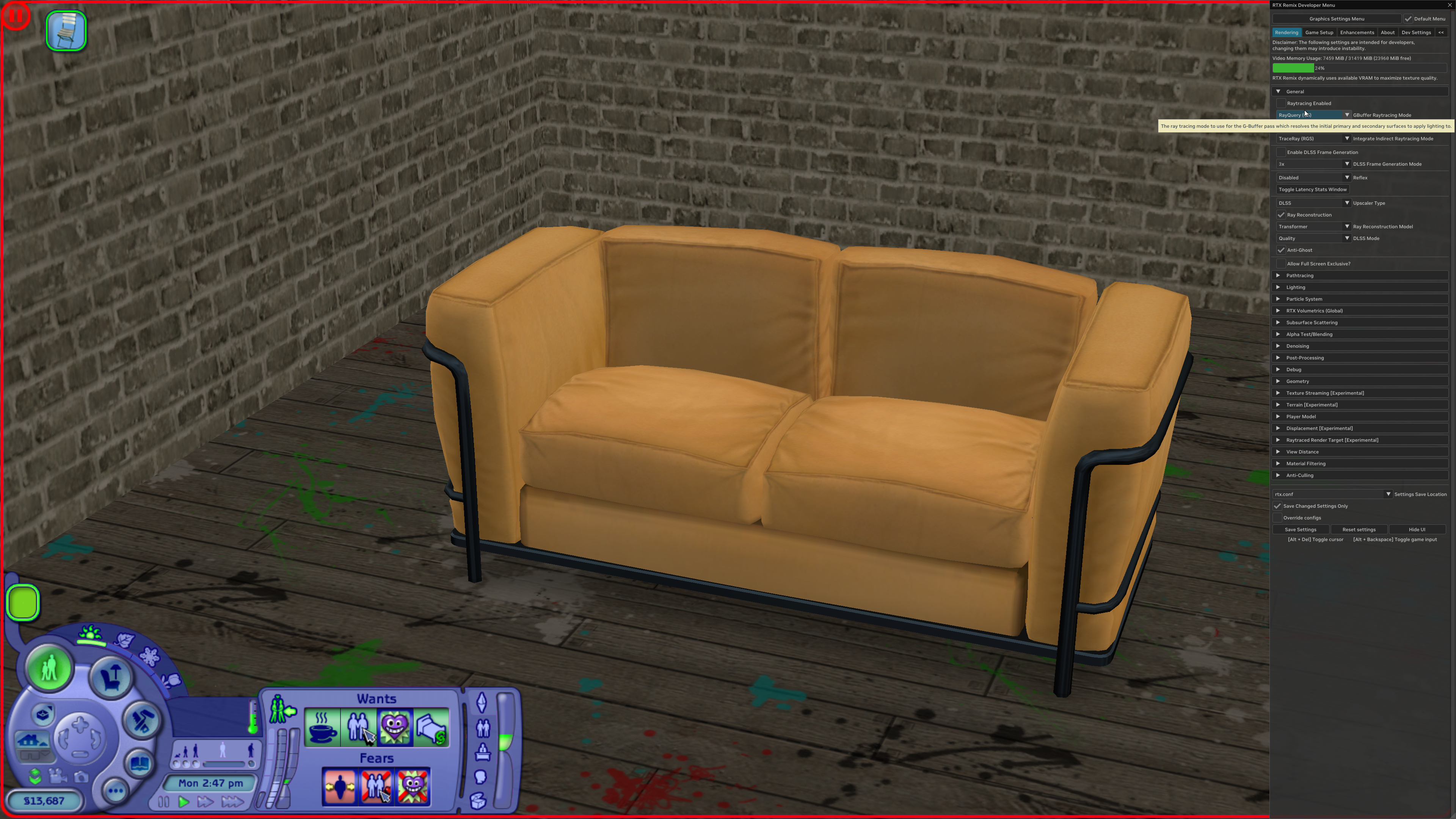
I wanted to see how The Sims 2 would look with path tracing, especially in houses I could build myself and compare against the original game.

I've been adapting RTX Remix to work with the game, exploring how lighting, shadows, reflections and materials change from the original rasterized rendering. An important part of that work is distinguishing expected differences from things that are rendering incorrectly.

Along the way, I've investigated distorted characters, missing textures and incorrectly rendered glass. I observe the issue, find a way to reproduce it and compare it with the original game, then test possible solutions and check whether they introduce other problems.

The project is still in development, and I'm continuing to investigate compatibility and lighting issues.

The Sims 2 · Rasterization vs. path tracingA / B
The Sims 2 sofa scene with path tracing enabled in RTX Remix.
The same sofa scene with ray tracing disabled in RTX Remix.
Rasterized Path traced

Drag the image divider, or focus the image and use the arrow keys.

Both captures use the same crop to focus on the scene. Rasterized original · Path-traced original.

05 / Frametime diagnostics

GameStutterLab Understanding the hitch.

I started GameStutterLab because of the stutters I kept encountering while playing PC games. I wanted to understand what was causing them and spend less time sorting through data to find something worth investigating.

I've been developing a tool that brings frame times together with available CPU, GPU, memory and disk activity, so I can look at what was happening around a hitch. The idea is to make that first pass easier and help narrow down what to test next.

The tool is still in development, and I'm testing its suggestions against real gameplay captures. Activity that coincides with a stutter can offer a useful lead, but it doesn't establish the cause on its own. My aim is to make those investigations more focused and less time-consuming.

Cyberpunk 2077 · Quicksave hitchRecorded capture
PresentMon capture · 355 frames around the quicksave hitch
Frame time 16.67 ms reference
Frame921 · capture frame
Frame time98.79 ms
ObservationQuicksave hitch · 5.96× local baseline

A quicksave coincided with a 98.79 ms frame, about 6× the local baseline of 16.57 ms, and nearby disk activity. The exact cause remains unconfirmed. Download capture CSV.

How I work

From noticing a difference to checking it.

Most of my projects start with something I notice while playing, or something I want to examine more closely. From there, I try to make the comparison useful, test possible explanations and keep track of what I can actually confirm.

01

Make the comparison useful

I match camera positions, scene conditions and graphics settings as closely as possible, so the difference I'm investigating is easier to see.

02

Check the measurements

I compare performance alongside frame times, power use and temperature where relevant. If a result looks inconsistent, I revisit the test before drawing a conclusion.

03

Investigate what changed

I compare builds or configurations, reproduce visual problems and test possible explanations. I also check whether a change solves one issue while introducing another.

04

Keep the findings clear

I organise captures, measurements and notes so someone else can follow what I tested, what I found and what still needs checking. When existing tools get in the way, I explore ways to adapt them.

Available for remote collaboration

I'd love to work with you.

I can help with hands-on testing, visual comparisons, and capture support, while adapting to your team's existing workflow.

cedtoro@gmail.com
Carlos DíazDurango, Mexico · English / Spanish View CV PDF